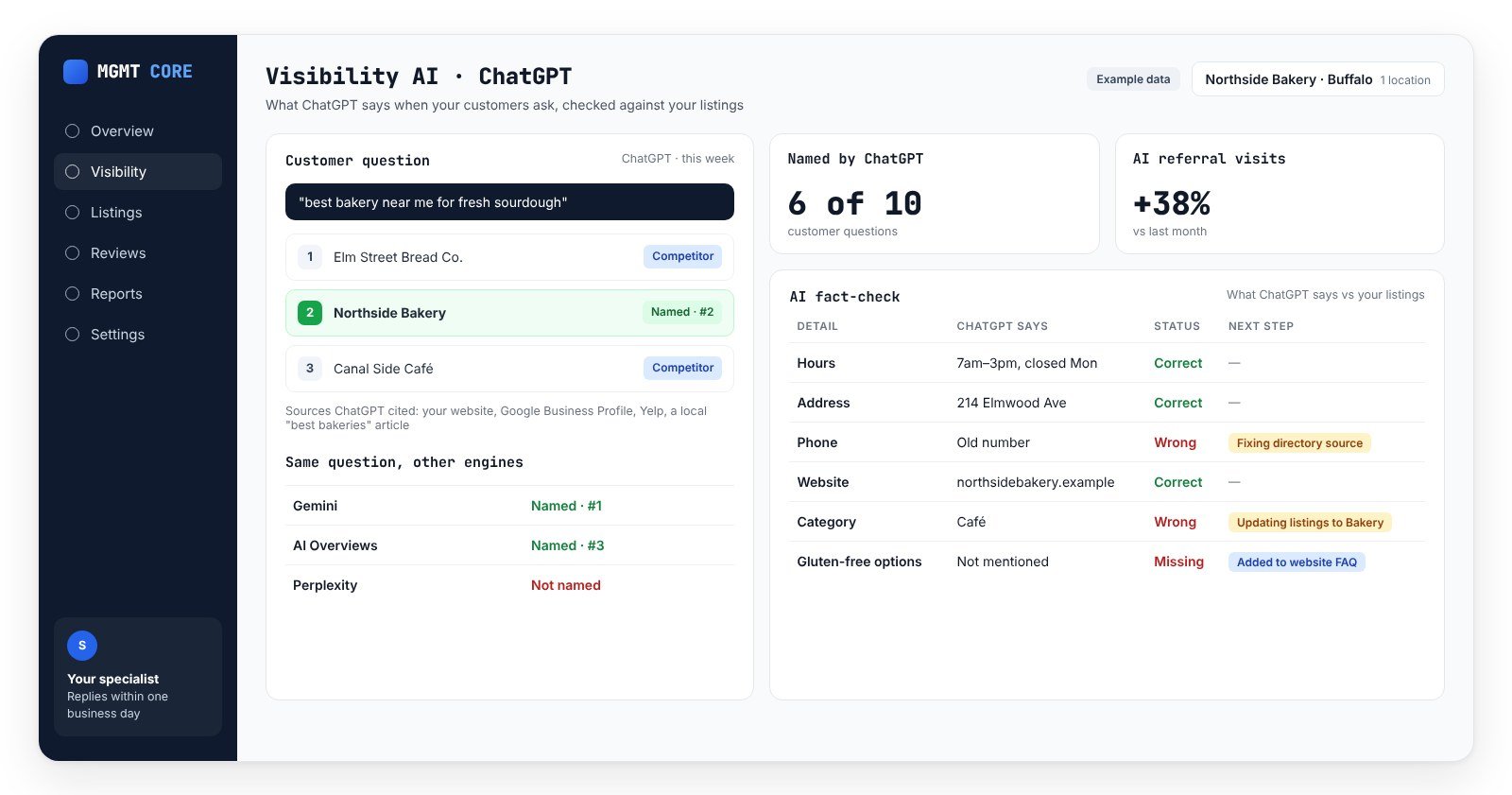
The short answer: to check if ChatGPT recommends your business, ask it the questions your customers actually ask, write down which businesses it names, and note which websites it cites. Repeat that on Gemini, Perplexity, Google AI Overviews, Google AI Mode and Microsoft Copilot, because the engines often disagree. For one location the first check takes about 30 minutes. This guide walks through the five steps, the mistakes that make results meaningless, and what to fix first.
Why it matters whether ChatGPT recommends your business
More customers now ask an AI assistant before they open a search results page. “Who is the best dentist near me that takes new patients?” gets a short answer with three or four names, not ten blue links. If you are not one of those names, the customer may never see you, even if you rank well on Google. Google’s own AI Overviews can leave you out in the same way; see how AI Overviews for local businesses choose who to name.
AI answers are built from what the engine has read about you: your Google Business Profile, your website, directory listings, review sites, local news and lists published by other people. That means the answer can be measured, and the inputs can be improved. You cannot buy a mention, and nobody can promise one, but you can find out where you stand and remove the reasons an engine has to leave you out.
Step 1: Write the questions customers actually ask
Think like a customer who has not heard of you yet. A useful question names the service, the place and one qualifier. Leave your own brand name out, because a question that already contains your name tells you nothing about whether you get recommended.
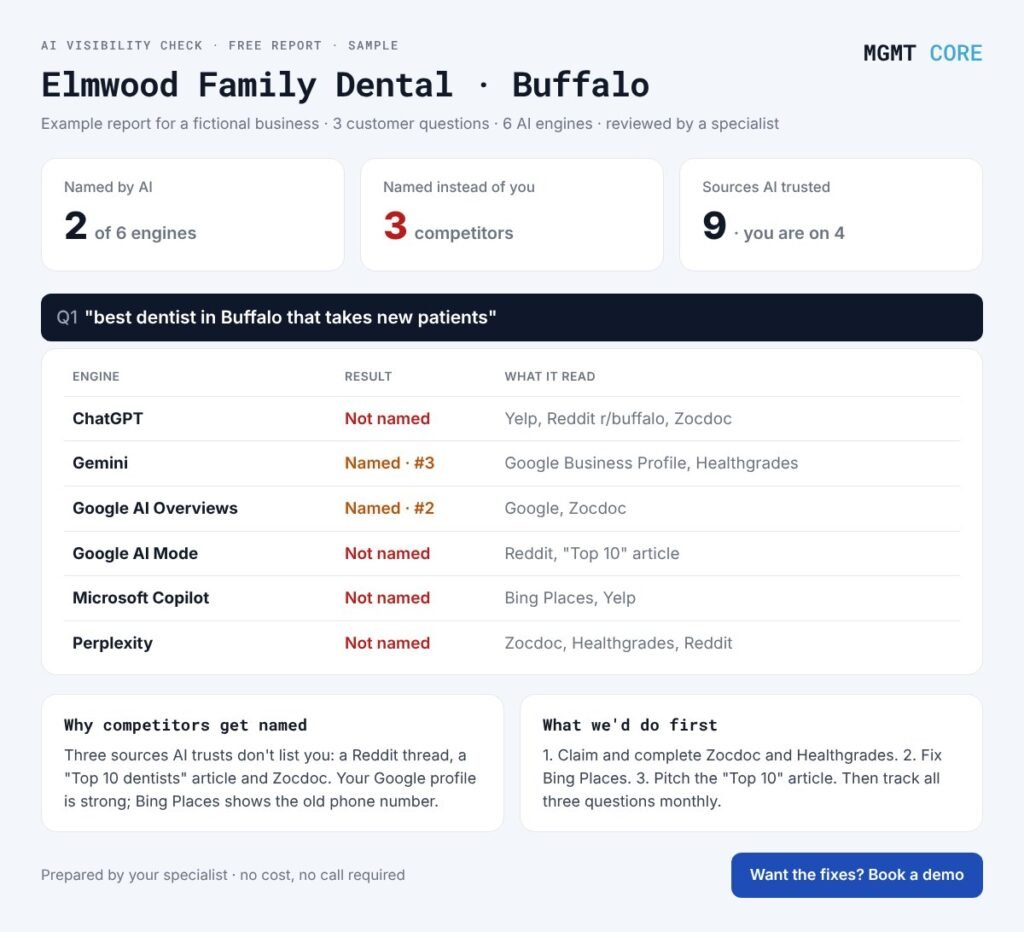
- “Best dentist in Buffalo that takes new patients”
- “Emergency plumber near me, open now”
- “Personal injury lawyer in Chicago, free consultation”
- “Honda dealer in Seattle with good service reviews”
- “Vet in Nashville open on Saturdays”
Write ten questions for each location. Take the wording from your reviews, your phone calls and your search data rather than from your marketing copy. Mix three types:
- Category questions: “best [service] in [city]”.
- Problem questions: “my tooth cracked, who can see me today in [city]”.
- Comparison questions: “[competitor] or someone else for [service] in [city]”.
Always write the city or neighbourhood into the question. Most AI tracking is set by country, so a question without a place gets a national answer that tells you little about a local business.
Step 2: Ask each engine, the same way every time
Run every question on ChatGPT, Gemini, Perplexity, Google AI Overviews, Google AI Mode and Microsoft Copilot. Use a logged-out or fresh session where you can, so your own history does not tilt the answer. Do not ask follow-up questions; a customer usually reads the first answer and acts on it.
Answers change from day to day. One check is a snapshot, not a verdict. If you want a number you can trust, repeat the same questions on a schedule and look at the trend.
Step 3: Record what comes back
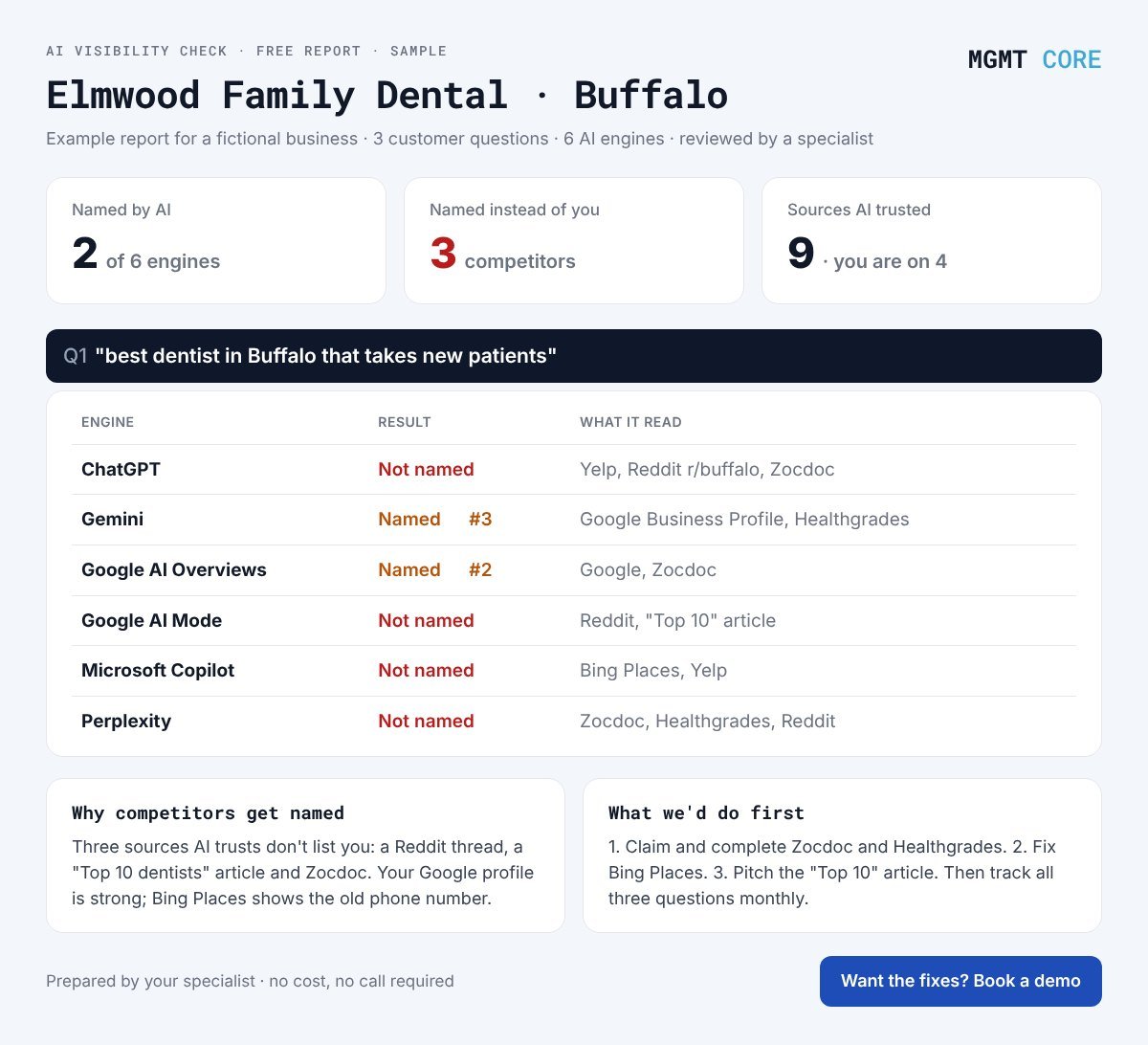
For each question and each engine, write down four things in a simple sheet:
| Column | What to record |
|---|---|
| Named? | Yes or no: was your business mentioned at all? |
| Position | First, second, third, or “mentioned in passing”. |
| Named instead | Every competitor the engine recommended. |
| Sources cited | The websites the engine linked to or quoted. |
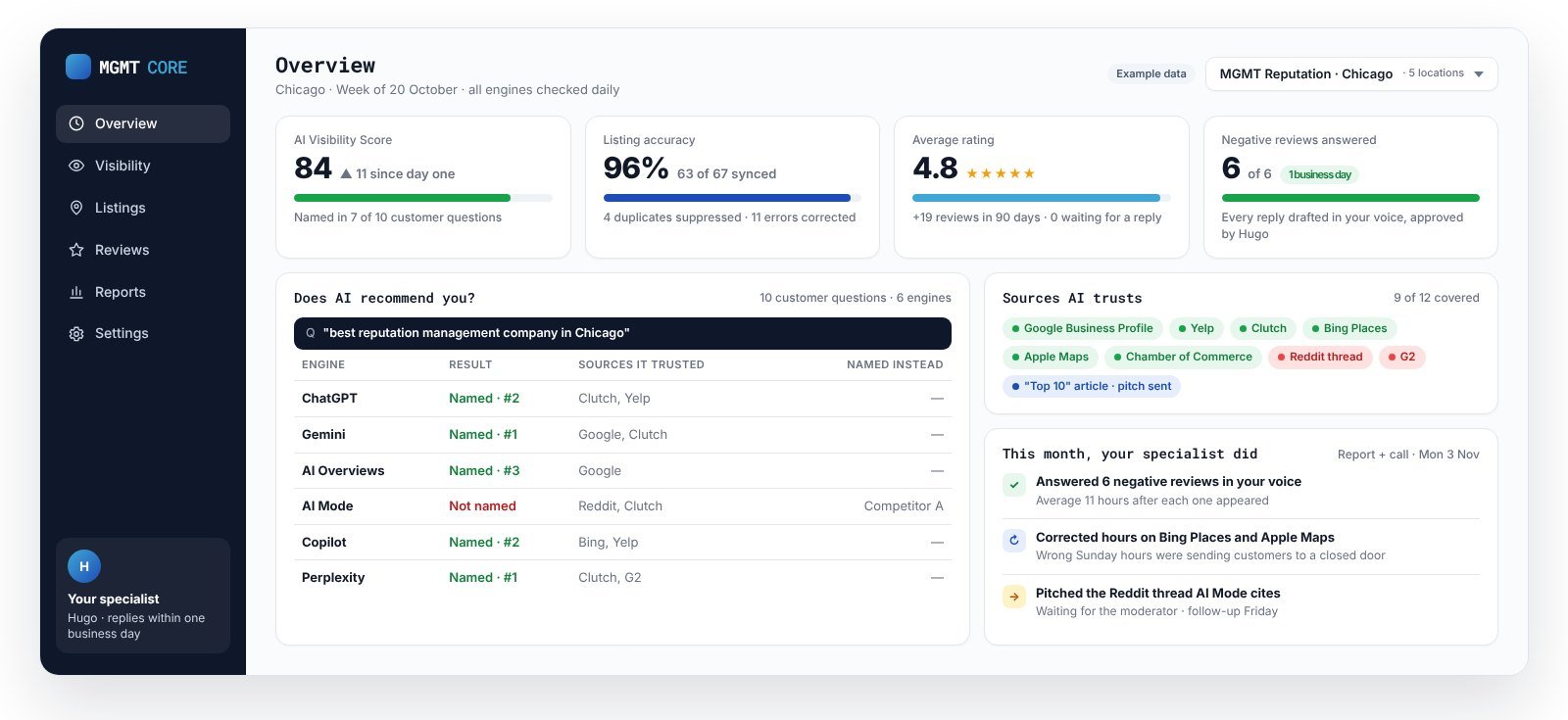
Ten questions across six engines gives you 60 answers per location. Divide the answers that name you by the total and you have a simple mention rate. That is the core of an AI visibility score.
Step 4: Read what the AI read
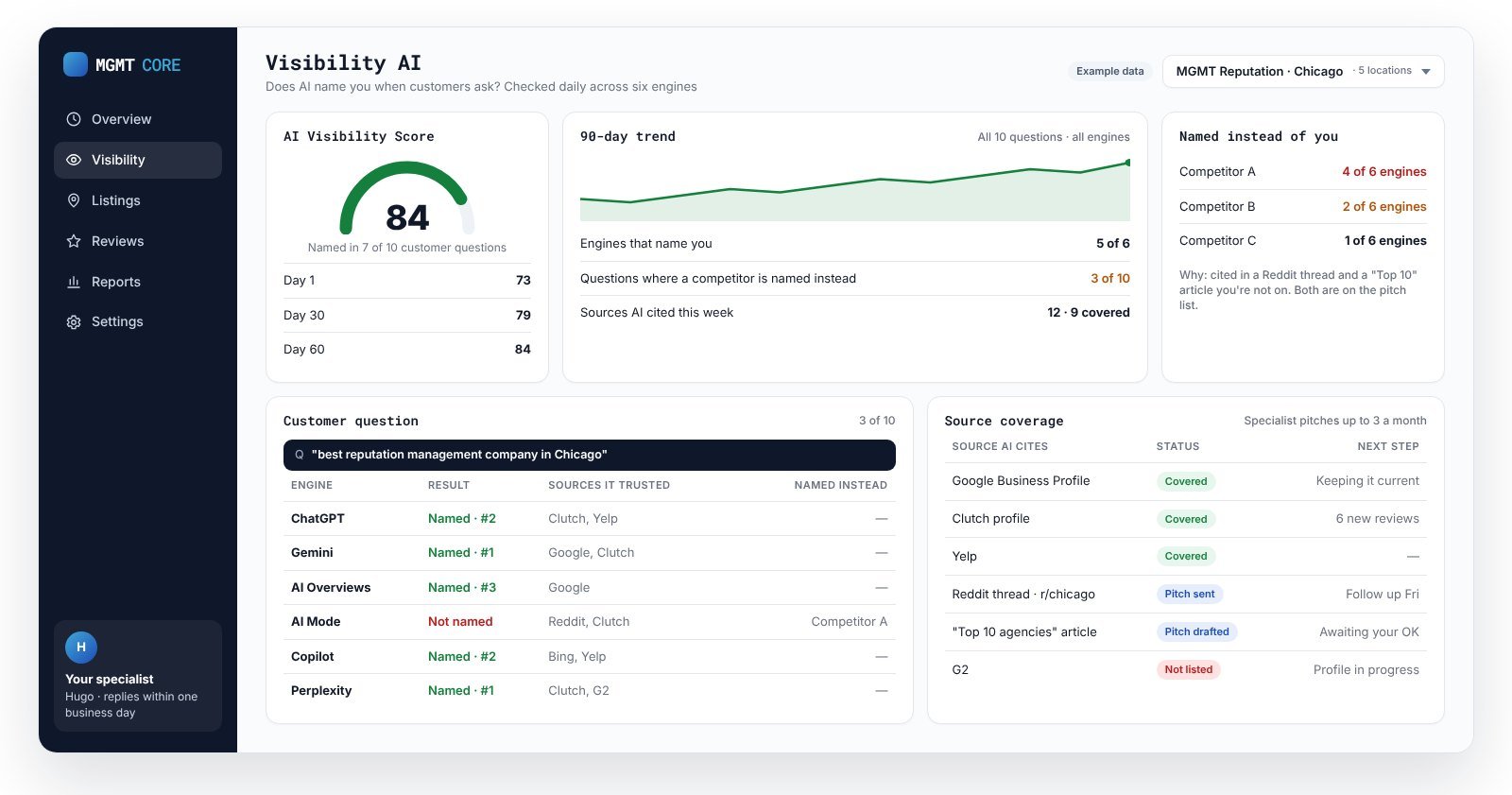
The sources column is the most useful part of the check. If the engines keep citing the same directory, review site or “best of” list, and you are missing from it or listed with old details, that is a concrete fix. Typical sources for local businesses:
- Your Google Business Profile and its reviews
- Apple Maps, Bing Places and other maps and navigation platforms
- Industry directories (for example Avvo for lawyers or Healthgrades for doctors)
- Review sites such as Yelp, Tripadvisor and Trustpilot
- Local news, chamber of commerce pages and “best of” lists
- Your own website, especially pages that answer questions plainly
Google explains how its AI features use web content in its guidance for site owners. The short version: clear, accurate, crawlable information helps.
Step 5: Fix the basics first
Most “AI does not recommend us” problems start with plain data problems. Work through these in order:
- Listings: make your name, address, phone, hours and categories identical everywhere. Our multi-location listings checklist covers the twelve details that must match.
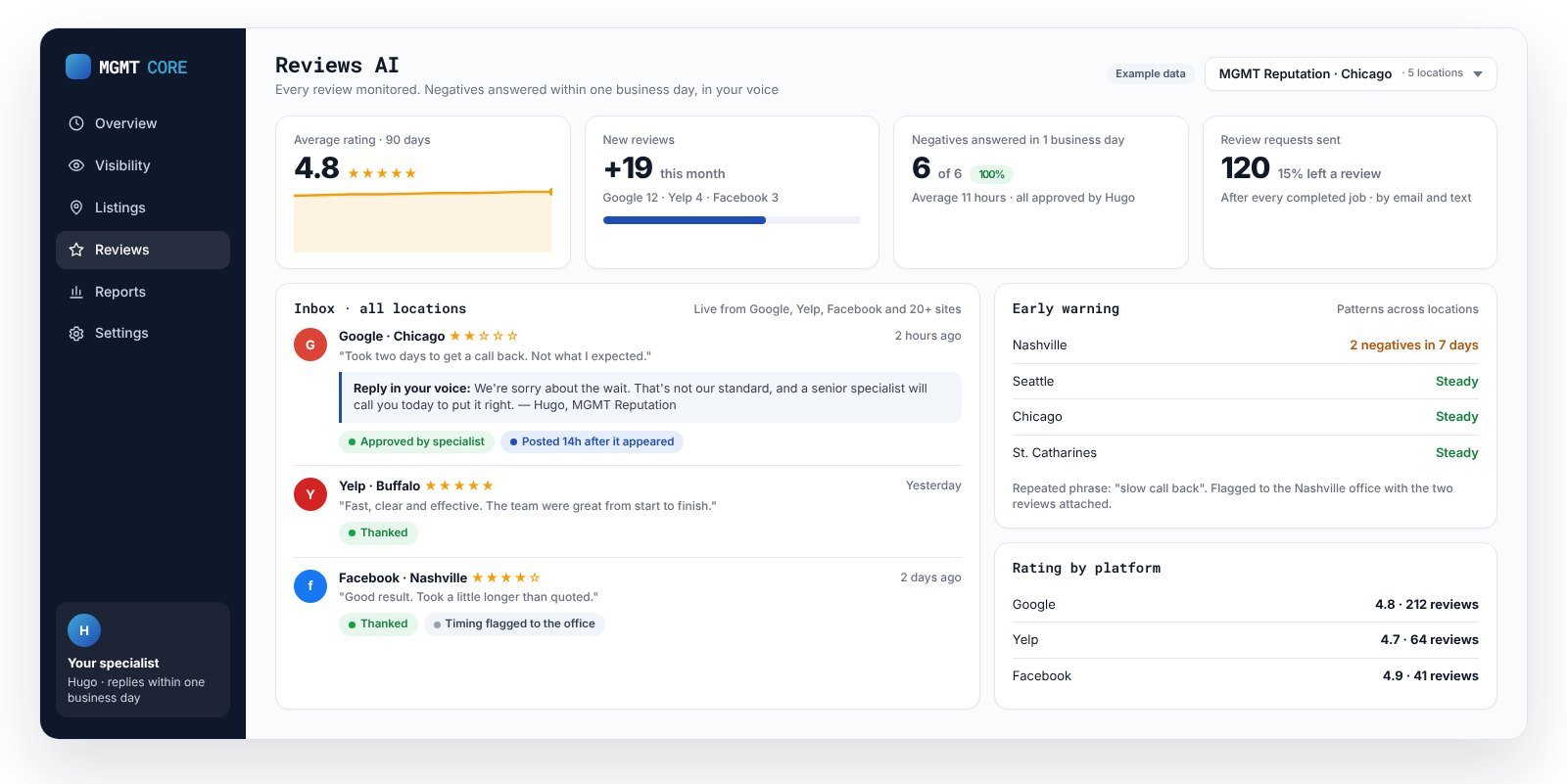
- Reviews: answer every review, good or bad, and keep new ones coming. See how to answer a negative review within one business day.
- Your website: one page per location with the service, the city, opening hours and real answers to common questions.
- Sources: get listed, with correct details, on the sites the engines cite for your category and city.
Common mistakes when you check if ChatGPT recommends your business
- Asking with your brand name. “Is Smith Dental good?” will almost always mention Smith Dental. It proves nothing.
- Checking one engine. ChatGPT, Gemini and Google AI Overviews frequently name different businesses for the same question.
- Checking once. Answers move. A single bad day is noise; a month of the same result is a pattern.
- Ignoring competitors. The “named instead” column tells you who the engines trust and why.
- Leaving out the place. Without a city in the question you are measuring national answers.
If the engines name you but get your hours, address or services wrong, see what to do when ChatGPT has wrong information about your business.
What nobody can promise
No person or tool can guarantee that an AI assistant will name your business. The engines decide. What you can control is the evidence they read: accurate listings, answered reviews, a clear website and a presence on the sources they trust. Tracking shows whether that work is moving the numbers.
How MGMT Core does this for every location
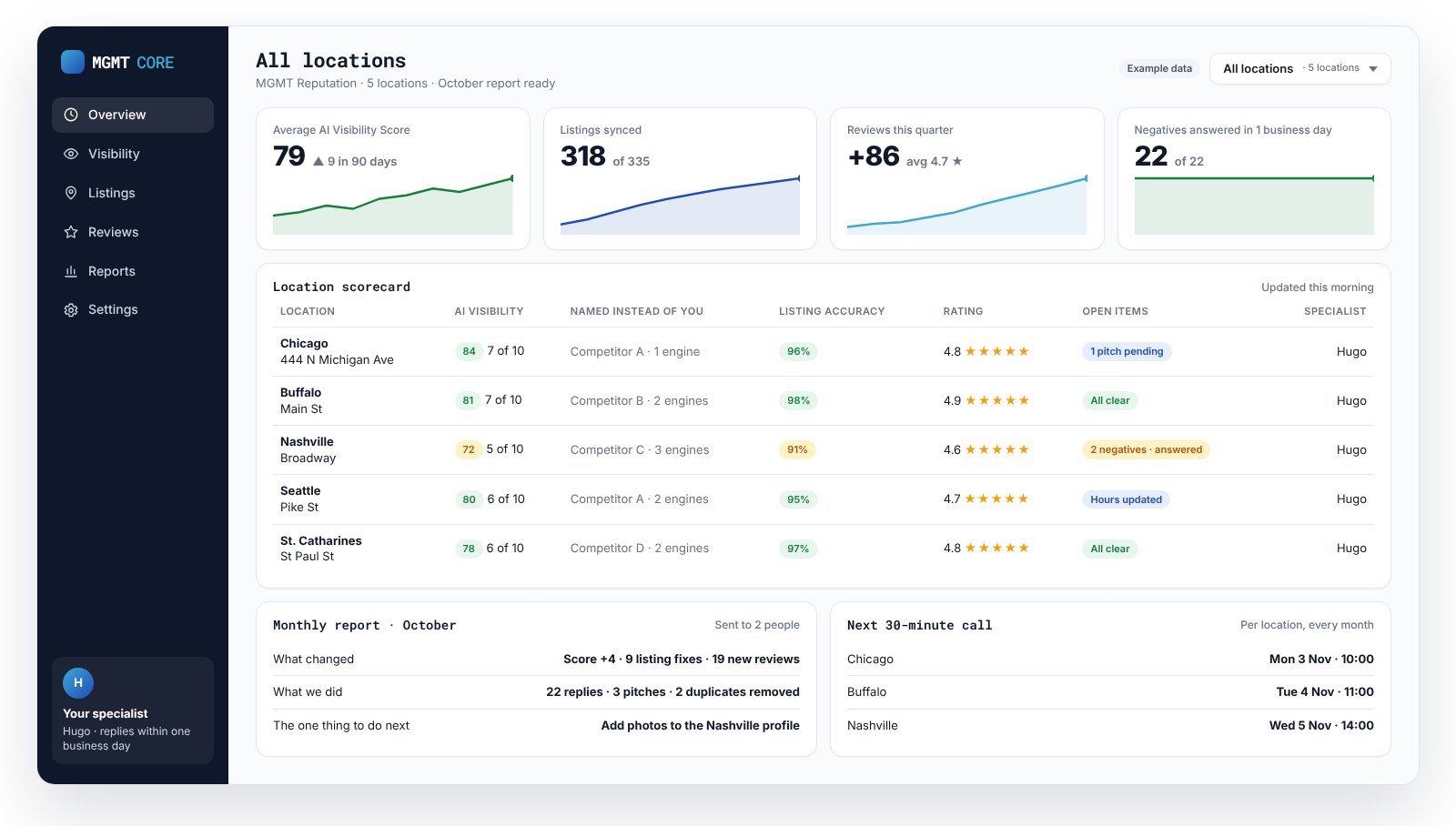
Doing this by hand works for one location. For five or fifty it becomes a part-time job. Visibility AI tracks real customer questions across six engines, shows who gets named instead and which sources the engines trust, and a named specialist pitches the sources that matter. You get a monthly AI Visibility Score and a 30-minute call per location. It is part of MGMT Core at $400 per location per month; see pricing and how we measure.
FAQs
How do I check if ChatGPT recommends my business for free?
Ask ChatGPT ten real customer questions that include your city and service but not your name, and record who it names and which sites it cites. Repeat on the other engines. Or request our free AI visibility check and we will send a report.
How often should I check?
Monthly at a minimum. Daily tracking smooths out the day-to-day swings and shows real trends.
Why does ChatGPT name my competitor but not me?
Usually because the competitor appears, with consistent details and strong reviews, on the sources the engine reads. The sources column from Step 4 shows where the gap is.
Does ranking on Google mean ChatGPT will recommend me?
Not necessarily. There is overlap, but AI answers lean on a different mix of sources. Read AI visibility vs SEO for what changes.
Want to know where you stand? Get a free AI visibility check and we will show you, engine by engine, whether AI names your business and who it names instead.